
The software update process for FCAR Android tablets includes five key components:
- OTA (Over-the-Air) Updates
- Application (APK)
- Extension Package
- VCI Box Firmware
- Vehicle Database
Before You Begin:
Ensure your tablet is connected to the internet via Wi-Fi or Ethernet. In some cases, you may need to open a web browser and navigate to any public website (e.g., www.google.com) to confirm that your network has access to the public internet
1️⃣ OTA (Over-the-Air) Update
- Navigate to Settings > System Updates.
- If a new system update is available, follow the on-screen instructions to download and install it.
- Ensure the tablet is connected to the internet before proceeding.
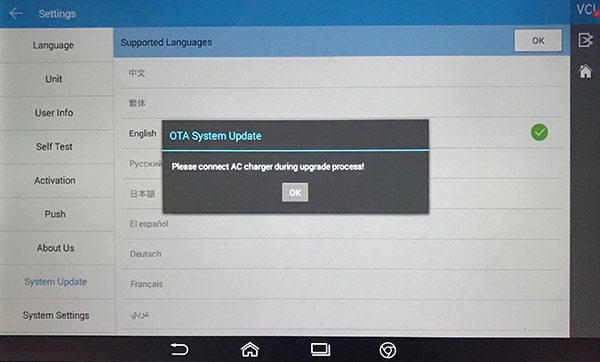
Keep the AC adapter plugged in to avoid power loss during operation.
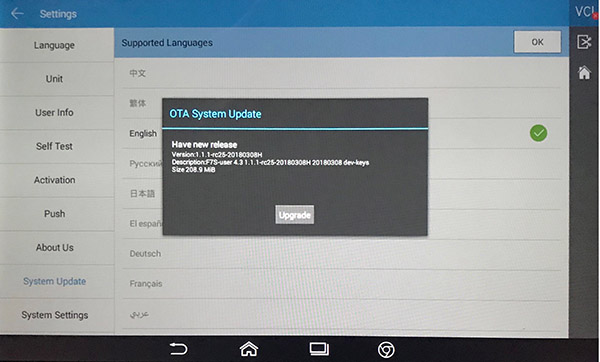
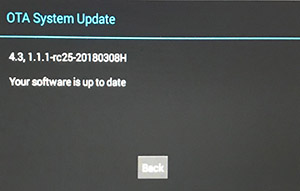
If there is new OTA available, it will show new release available
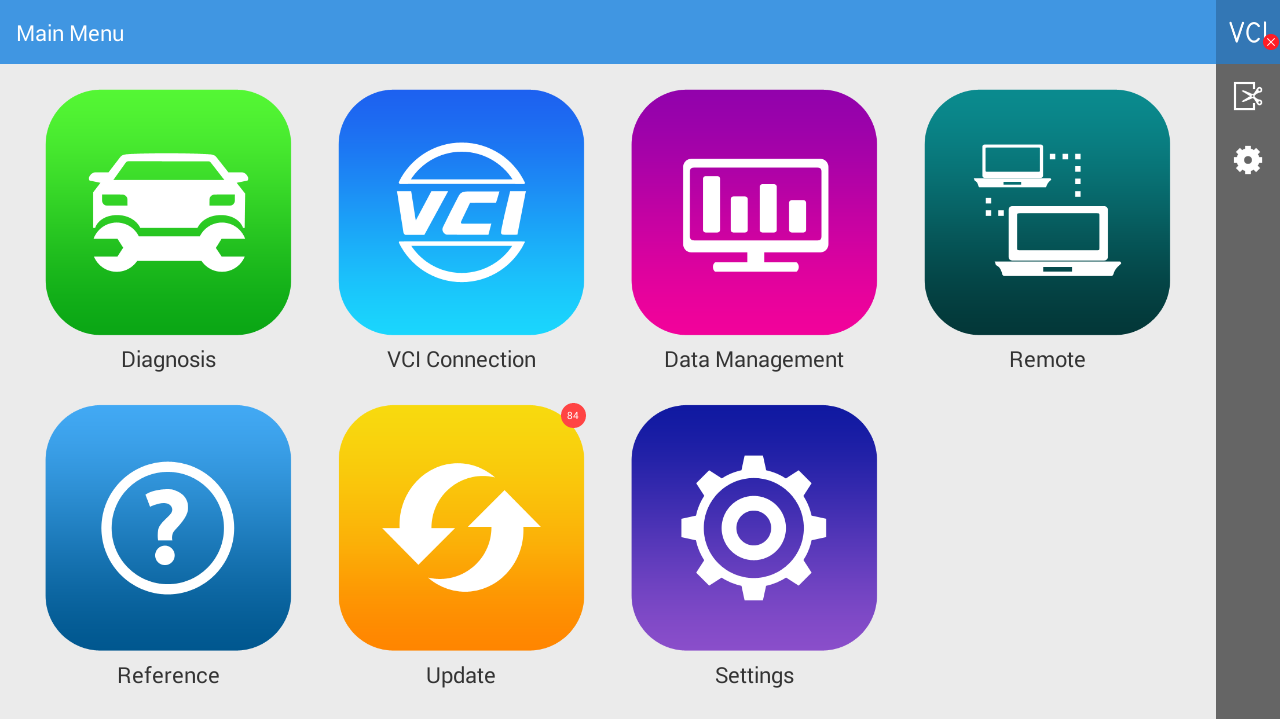
When you check UPDATE, it will show number on UPDATE icon.

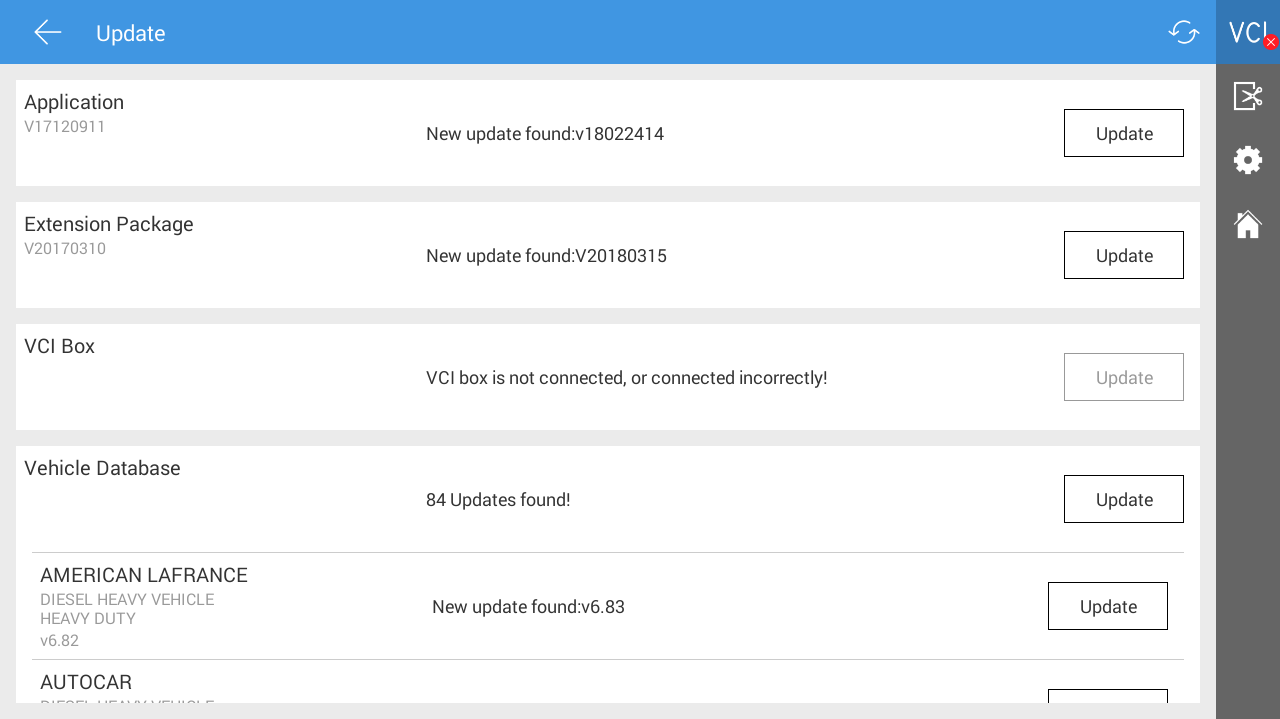
2️⃣ Application (APK) Update
- If a new version is available, a message will appear: "New Update Found Vxxxx".
- Tap the update notification to download the application.
- Once downloaded, install the APK.
- After installation, tap Open and return to the Update section to complete the process.
3️⃣ Extension Package Update
- If an update is available, you’ll see "New Update Found Vxxxx".
- Tap the update to begin downloading and installation.
4️⃣ VCI Box Firmware Update
- Before checking for updates, ensure the VCI Box is connected via Bluetooth.
- If an update is available, the message "New Update Found Vxxxx" will appear.
- Tap to update.
- The VCI Box can be powered either by an AC adapter or by plugging it into the vehicle diagnostic port.
5️⃣ Vehicle Database Update
- If updates are available, you’ll see a message like "xx updates found!"
- Tap Update to apply all updates at once, or select individual vehicles to update them one by one.
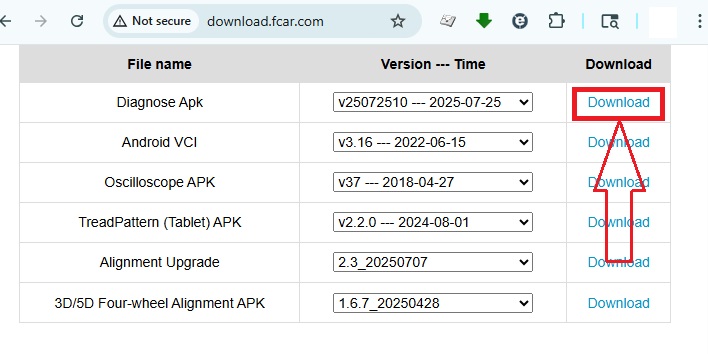
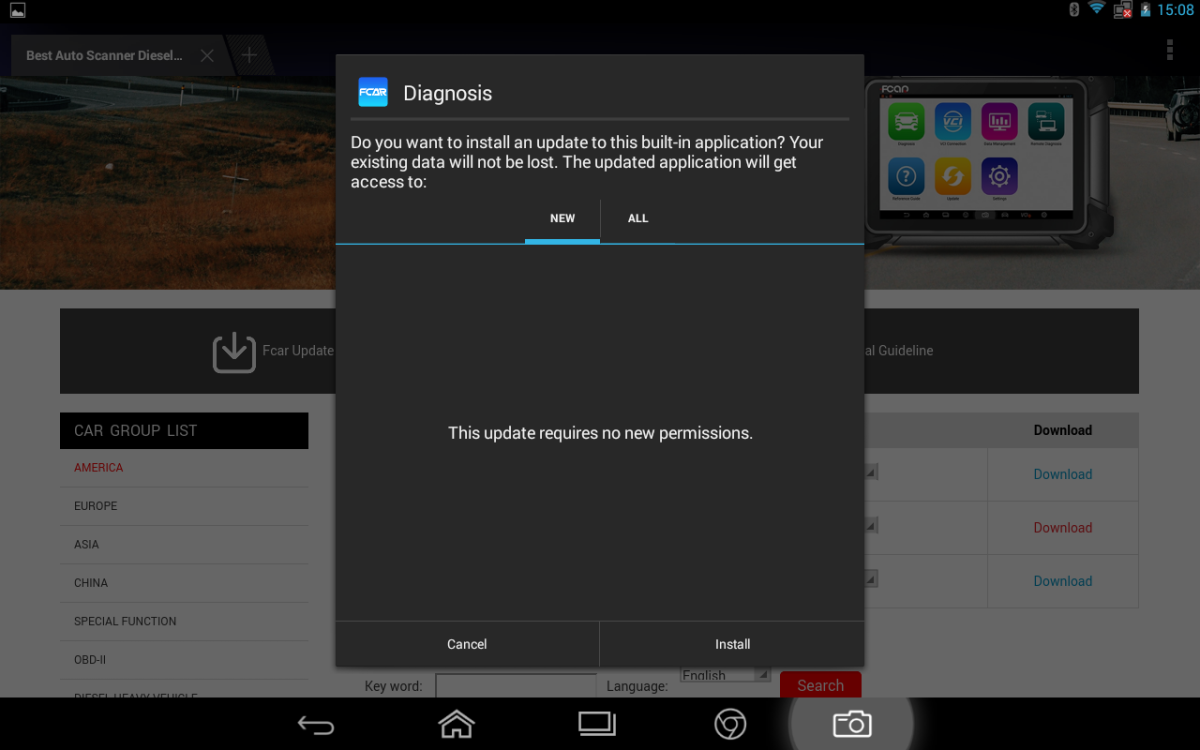
If you are just recent purchase the update and still showing “license expired” under vehicle database, you need to open browser and type in http://download.fcar.com to download Diagnose APK manually and install on the tablet.
***for F7SG user: you might need to purchase additional SD card (128GB) to extend your storage if you see running out of space**